








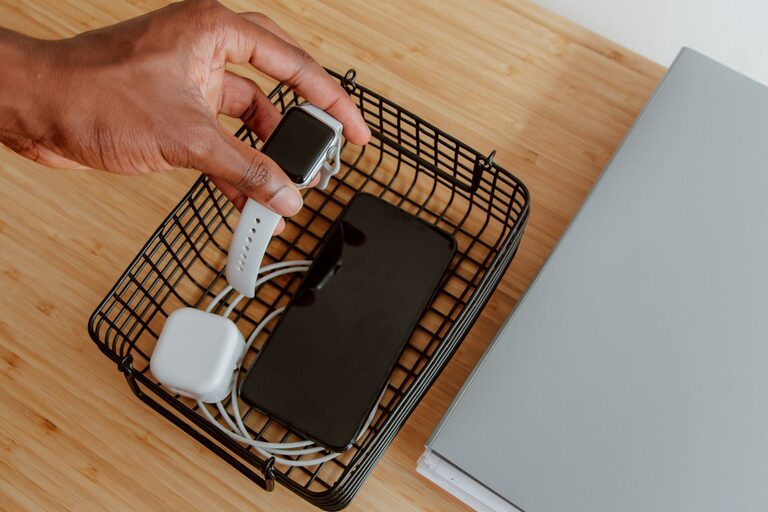
Setting up a dedicated charging station for your devices can simplify your daily routine and reduce clutter. Whether you want to charge smartphones, tablets, laptops, or other gadgets, having one spot where everything is powered and organized helps you stay efficient and stress-free. This guide walks you through creating a practical, safe, and tidy charging station at home or in your workspace.
Why Set Up a Charging Station?
In today’s digital world, nearly everyone relies on multiple devices daily. Without a designated spot for charging, cords end up tangled, adapters get lost, and devices run out of power unexpectedly. A charging station:
– Keeps all your devices in one place
– Reduces cable clutter
– Protects devices from damage by keeping them organized
– Makes it easier to locate and charge devices quickly
– Improves safety by minimizing extension cords and overloaded outlets
Step 1: Choose the Right Location
Selecting an appropriate spot is the first step. Consider these factors when deciding where to set up your charging station:
– Accessibility: Pick a location close to power outlets and where you spend most of your time, such as your desk, kitchen counter, or living room.
– Ventilation: Charging generates heat, so avoid enclosed spaces without airflow.
– Surface Space: Ensure there’s enough space to hold all devices comfortably, including room for chargers and cables.
– Visibility: Position the station where you can see your devices easily to avoid forgetting them.
Step 2: Gather Your Materials
Once you’ve chosen a spot, gather the necessary supplies:
– Power Strip or Charging Hub: A power strip with surge protection is ideal for multiple devices. Alternatively, a multi-port USB charging hub can minimize cables.
– Cable Organizers: Use clips, sleeves, or cable boxes to keep cords untangled.
– Device Holders or Stands: These help keep your devices upright and easy to access while charging.
– Labels (optional): Label chargers and cables if you share the space with family or coworkers to avoid mix-ups.
– Storage Containers: Small trays or boxes can hold earbuds or smaller accessories.
Step 3: Choose Your Charging Method
Depending on your devices, there are different charging options:
USB Charging Hubs
These hubs offer multiple USB ports, allowing you to charge several devices with just one plug. They reduce the number of power adapters and cables needed. Look for hubs with fast charging support and safety features.
Wireless Charging Pads
If your devices support wireless charging, pads or stands provide an easy, cord-free experience. You can combine wireless pads with a charging hub to accommodate both wireless and wired devices.
Traditional Chargers and Power Strips
For devices that don’t support USB charging or wireless options, use their original chargers plugged into a power strip with surge protection. Keep cables organized and avoid daisy-chaining extension cords for safety.
Step 4: Organize Cables and Devices
To keep your charging station neat:
– Shorten Cables: Use cable ties or Velcro straps to bundle excess cable length.
– Cable Clips: Attach clips to the edge of your desk or table to keep cables within easy reach.
– Label Each Cable: This makes it easier to identify which cable belongs to which device.
– Position Devices Properly: Use stands or holders to keep phones and tablets visible and off surfaces where they might get damaged.
Step 5: Establish Charging Habits
Make the most of your charging station by adopting simple habits:
– Charge Overnight: If safe, leave devices charging overnight so they’re ready each morning.
– Regularly Inspect Cables and Chargers: Replace any damaged equipment to prevent safety hazards.
– Keep the Area Clean: Dust and debris can build up, so wipe the station regularly.
– Unplug Unused Chargers: This saves energy and reduces fire risk.
Step 6: Customize Your Charging Station
Feel free to personalize your setup according to your needs and style:
– Add decorative elements like a small plant or photo frame for a pleasant look.
– Use color-coded cables or accessories to match your decor.
– Incorporate storage compartments for related items like headphones, memory cards, or charging adaptors.
Tips for Safety
– Use chargers and cables recommended by your device manufacturers.
– Avoid overloading power strips.
– Keep liquids away from the charging station.
– Ensure cords are not stretched across walkways to prevent tripping.
Final Thoughts
Setting up a device charging station is a simple way to streamline your tech routine and keep your space organized. With the right location, tools, and habits, you’ll enjoy hassle-free charging and a tidier environment. Whether for home or the office, a dedicated station makes it easy to keep your devices powered up and ready to go.